C# Programming: Step-by-Step Beginner's Guide
This guide offers a step-by-step path for those who want to learn C#. It covers the fundamentals, use cases, and practical examples of C#.
What is C#?
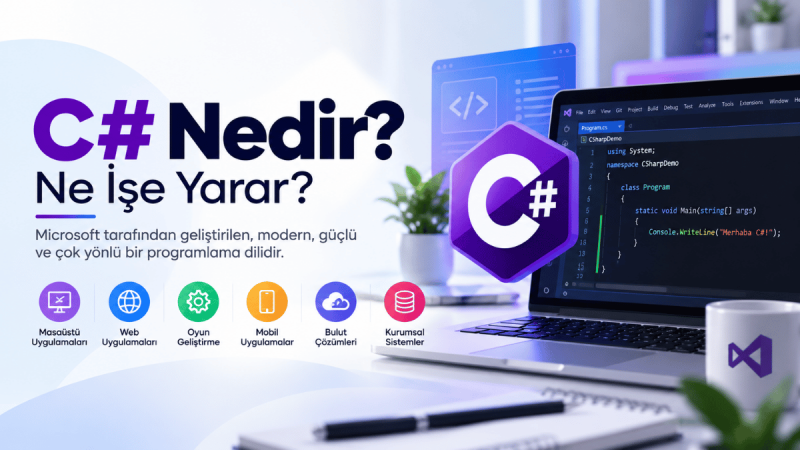
C# is a powerful and flexible programming language developed by Microsoft. It takes its name from musical notation and symbolizes its "sharp" nature. Introduced in 2000, C# combines object-oriented programming with modern programming practices.
How to Use C#?
- Setting Up the Development Environment: The first step is to set up a development environment for writing C# code. Microsoft Visual Studio is the recommended IDE for C# programming. After downloading and installing it, you can create a new C# project.
- Starting to Write Code: A C# program starts with a method named "Main". This method is the entry point of your program. Here is a simple "Hello, World!" example:
using System; class Program { static void Main() { Console.WriteLine("Merhaba, Dünya!"); } } - Compiling and Running: You need a compiler to compile and run your code. Compilation translates your code into an executable form and creates a runnable program.
C# Use Cases
C# is used in many different areas:
- Windows Applications: C# is preferred for developing desktop applications.
- Web Applications: Combined with ASP.NET, it is possible to develop powerful and dynamic web applications.
- Game Development: Unity, one of the popular game development engines, uses C# for game development.
- Database Applications: C# can be used to manage database operations.
- Mobile Applications: With tools like Xamarin, you can create applications for Android and iOS using C#.
C# Examples
Simple Console Output
Console.WriteLine("Merhaba, Dünya!");
Arithmetic Operations
int sayi1 = 10;
int sayi2 = 5;
int toplam = sayi1 + sayi2;
Console.WriteLine("Toplam: " + toplam);
Reading User Input
Console.Write("Adınızı girin: ");
string isim = Console.ReadLine();
Console.WriteLine("Merhaba, " + isim);
Conditional Statements
int yas = 18;
if (yas >= 18)
{
    Console.WriteLine("Ehliyet alabilirsiniz.");
}
else
{
    Console.WriteLine("Ehliyet alamazsınız.");
}
Loops
for (int i = 1; i <= 10; i++)
{
    Console.WriteLine(i);
}
Advanced C# Topics and Example Code
1. Object-Oriented Programming (OOP)
Object-oriented programming makes your code more modular and maintainable. Here is an example of a class and inheritance:
class Arac
{
    public string Marka { get; set; }
    public string Model { get; set; }
}

class Otomobil : Arac
{
    public int MotorGucu { get; set; }
}

class Program
{
    static void Main()
    {
        Otomobil otomobil = new Otomobil();
        otomobil.Marka = "Toyota";
        otomobil.Model = "Corolla";
        otomobil.MotorGucu = 150;
        Console.WriteLine($"Otomobil: {otomobil.Marka} {otomobil.Model}, Motor Gücü: {otomobil.MotorGucu} HP");
    }
}
2. Delegates and Events
Delegates and events help you develop interactive applications. Here is an example of a delegate and event:
class HaberKaynagi
{
    public delegate void HaberHandler(string haber);
    public event HaberHandler YeniHaber;

    public void YeniHaberGonder(string haber)
    {
        Console.WriteLine($"Yeni haber: {haber}");
        YeniHaber?.Invoke(haber);
    }
}

class Abone
{
    public void HaberAl(string haber)
    {
        Console.WriteLine($"Haber alındı: {haber}");
    }
}

class Program
{
    static void Main()
    {
        HaberKaynagi haberKaynagi = new HaberKaynagi();
        Abone abone = new Abone();

        haberKaynagi.YeniHaber += abone.HaberAl;
        haberKaynagi.YeniHaberGonder("Yeni ürün çıktı!");
    }
}
3. LINQ (Language Integrated Query)
LINQ makes data operations easier and more readable. Here is a simple LINQ query:
List<int> sayilar = new List<int> { 2, 5, 8, 10, 15, 20 };
var ciftSayilar = from sayi in sayilar where sayi % 2 == 0 select sayi;

foreach (var sayi in ciftSayilar)
{
    Console.WriteLine(sayi);
}
4. Asynchronous Programming
Asynchronous programming allows long-running operations to execute without blocking. Here is an example of an asynchronous method:
using System.Threading.Tasks;

class Program
{
    static async Task Main()
    {
        await AsenkronMetot();
        Console.WriteLine("İşlem tamamlandı.");
    }

    static async Task AsenkronMetot()
    {
        await Task.Delay(2000);
        Console.WriteLine("Asenkron işlem tamamlandı.");
    }
}
5. Pattern Recognition and SOLID Principles
Design patterns and SOLID principles organize your code structure, making it easier to maintain and scale. Here is an example of the "Singleton" pattern:
public sealed class Singleton
{
    private static Singleton instance = null;
    private static readonly object lockObject = new object();

    private Singleton() { }

    public static Singleton Instance
    {
        get
        {
            lock (lockObject)
            {
                if (instance == null)
                {
                    instance = new Singleton();
                }
                return instance;
            }
        }
    }
}
6. Database Operations
You can perform database operations using ADO.NET or Entity Framework. Here is a simple query with Entity Framework:
using Microsoft.EntityFrameworkCore;

class VeritabaniContext : DbContext
{
    public DbSet<Urun> Urunler { get; set; }
}

class Urun
{
    public int Id { get; set; }
    public string Ad { get; set; }
    public decimal Fiyat { get; set; }
}

class Program
{
    static void Main()
    {
        using (var context = new VeritabaniContext())
        {
            var urunler = context.Urunler.ToList();
            foreach (var urun in urunler)
            {
                Console.WriteLine($"{urun.Id}: {urun.Ad}, {urun.Fiyat} TL");
            }
        }
    }
}
7. Web Development and API Integration
You can create web applications and services with ASP.NET or ASP.NET Core. You can also interact with external APIs. Here is a simple API call:
using System.Net.Http;

class Program
{
    static async Task Main()
    {
        using (var client = new HttpClient())
        {
            string apiUrl = "https://jsonplaceholder.typicode.com/posts/1";
            HttpResponseMessage response = await client.GetAsync(apiUrl);
            if (response.IsSuccessStatusCode)
            {
                string content = await response.Content.ReadAsStringAsync();
                Console.WriteLine(content);
            }
        }
    }
}
8. GUI Design and WPF
With WPF, you can design visually rich desktop applications. Here is a simple WPF window:
using System.Windows;

class Program : Application
{
    [STAThread]
    static void Main()
    {
        Program app = new Program();
        app.Run(new AnaPencere());
    }
}

class AnaPencere : Window
{
    public AnaPencere()
    {
        Title = "Merhaba, WPF!";
        Width = 300;
        Height = 200;
        Content = new TextBlock { Text = "Hoş geldiniz!" };
    }
}
Continue Your Learning Journey!
Understanding and mastering C# is a continuous learning journey. Gaining experience in real-world projects and practicing regularly will increase your success.