
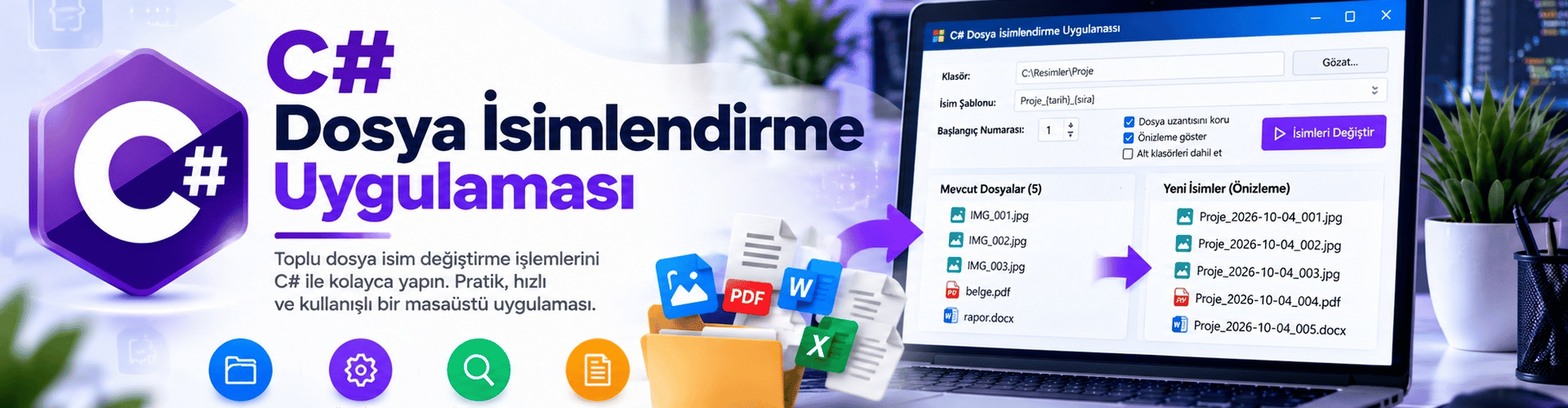
Developing a C# File Renaming Application
In this article, the development of a Windows Forms-based bulk file renaming application with C# is explained step by step. The application renames files in the selected folder according to the specified template.
Application Features
Folder Selection: The user can select the folder containing the files. The application lists the files in this folder.
Renaming Template: The user can define the renaming template to be applied to file names. For example, "FileName_001".
Numbering Options: It is possible to specify the starting value and step for the numbers added to file names.
File Preview: Before the renaming process, users can visually preview the file name changes.
Step 1: Creating the Project and Designing the Interface
Create a new "Windows Forms App (.NET Framework)" project in your development environment.
Design the interface so that users can configure settings such as folder selection and naming template.
Step 2: File Operations
Add a "FolderBrowserDialog" for folder selection and use a "ListView" to list the contents of the selected folder.
Create a function to rename files according to the template specified by the user. Here is a simple example:
private void RenameFiles(string folderPath, string template, int startNumber, int step)
{
 string[] files = Directory.GetFiles(folderPath);
 int counter = startNumber;

 foreach (string file in files)
 {
 string extension = Path.GetExtension(file);
 string newFileName = $"{template}_{counter:D3}{extension}";

 string newPath = Path.Combine(folderPath, newFileName);
 File.Move(file, newPath);

 counter += step;
 }
}
Step 3: Previewing Files and Applying the Operation
Give the user the opportunity to preview the renaming of files in the list before performing the operation.
When the "Rename" button is clicked, perform the file renaming operation with the settings specified by the user.
Step 4: Testing and Sharing the Application
Test your application and check whether it successfully renames files.
After developing your application, you can share this useful tool on your blog to help more people simplify their file renaming process.
Now you have learned the necessary steps to develop a "File Renaming Application" with C#. This application greatly simplifies the bulk file renaming process, saving time and effort. It can help you perform file management more effectively.