Developing a C# Custom Password Generator and Secure Storage Application
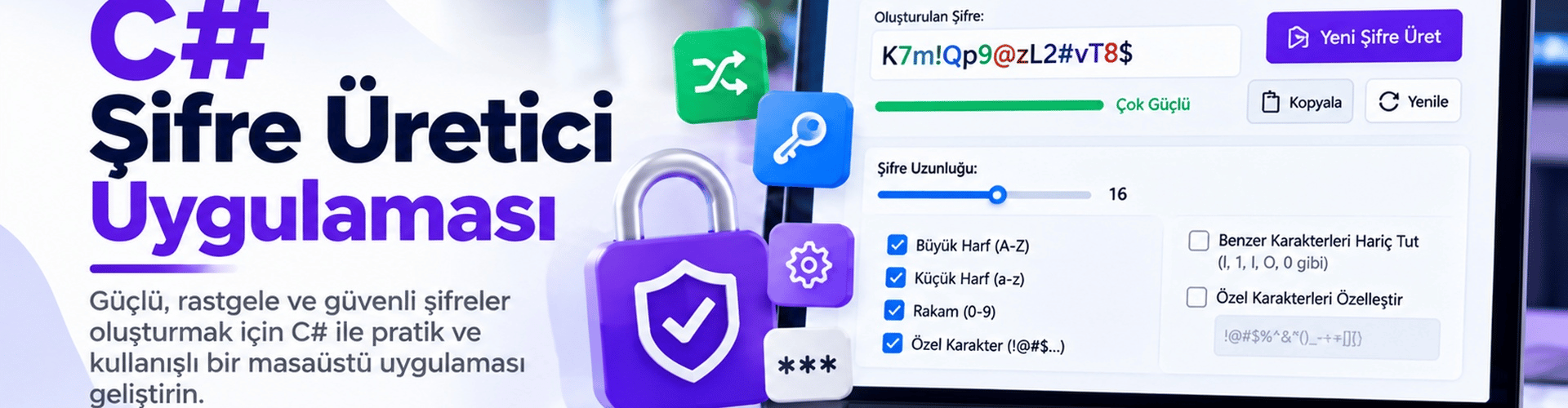
This article explains step by step how to develop an application using C# Windows Forms that generates customizable and secure passwords and then stores them securely. The app offers options for password length, uppercase/lowercase letters, numbers, and symbols.
Application Features
- Customizable Password Generation: The application allows users to generate passwords that meet their needs. You can set the password length and include uppercase/lowercase letters, numbers, and symbols.
- Strong Password Complexity Options: You can adjust uppercase, lowercase, number, and symbol options as you like to increase the security of complex passwords.
- Visible and Hidden Password Display: Show generated passwords in visible mode so users can quickly review them. You can also display them in hidden mode to keep your password concealed.
- Secure Password Storage: Use modern encryption methods to keep generated passwords safe. Your passwords should only be accessible by you.
Step 1: Project Creation and Interface Design
First, create a new "Windows Forms App (.NET Framework)" project in a development environment such as Visual Studio. Then design your application's interface to be user-friendly and aesthetically pleasing.
Step 2: Password Generation and Visual Display
Let's move to the code part of the application and create the password generation function. This function will generate random passwords according to the options you set. Here is a code example:
private string GeneratePassword(int length, bool uppercase, bool lowercase, bool digits, bool specialChars)
{
    string characterSet = "";
    if (uppercase) characterSet += "ABCDEFGHIJKLMNOPQRSTUVWXYZ";
    if (lowercase) characterSet += "abcdefghijklmnopqrstuvwxyz";
    if (digits) characterSet += "0123456789";
    if (specialChars) characterSet += "!@#$%^&*()_-+=<>?";

    StringBuilder password = new StringBuilder();
    using (RNGCryptoServiceProvider rng = new RNGCryptoServiceProvider())
    {
        byte[] randomBytes = new byte[length];
        rng.GetBytes(randomBytes);

        foreach (byte b in randomBytes)
        {
            password.Append(characterSet[b % characterSet.Length]);
        }
    }

    return password.ToString();
}
Step 3: Password Security and Storage Subtleties
To keep your passwords safe, be careful to use a strong encryption method. The "System.Security.Cryptography" library will help you with this. Additionally, you can consider methods such as databases or special files to securely store the generated passwords.
Step 4: Test and Share the Application
Test your application to ensure that password generation and secure storage processes are performed correctly. Then, you can share this app on your blog to help more people learn to generate strong passwords.
With these steps, you can develop your C# password generator and secure storage application.